

Logo
General rules
Section titled “General rules”- Keep it legible and give it space
- Use only approved versions of the logo
Don’t alter the logo’s colors, proportions, or orientation
- Don’t add effects, textures, or patterns
Lockups & variants
Section titled “Lockups & variants”The logo can appear as a logomark or combination mark lockup. The logomark is a standalone icon that can be used in contexts where the full logo may not fit, or when a more minimal representation is called for. The combination mark lockup includes both the logomark and the wordmark. Never use the wordmark without the logomark.
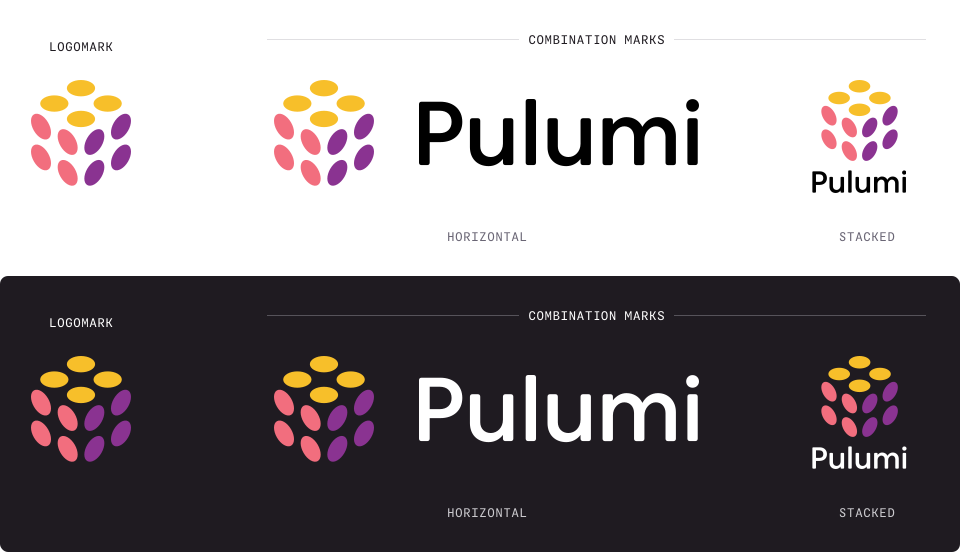
The logo has two type lockups: horizontal and stacked. The horizontal lockup is the primary version and should be used whenever possible. The stacked lockup may be used when a more vertical orientation is necessary or when a more compact logo is needed.
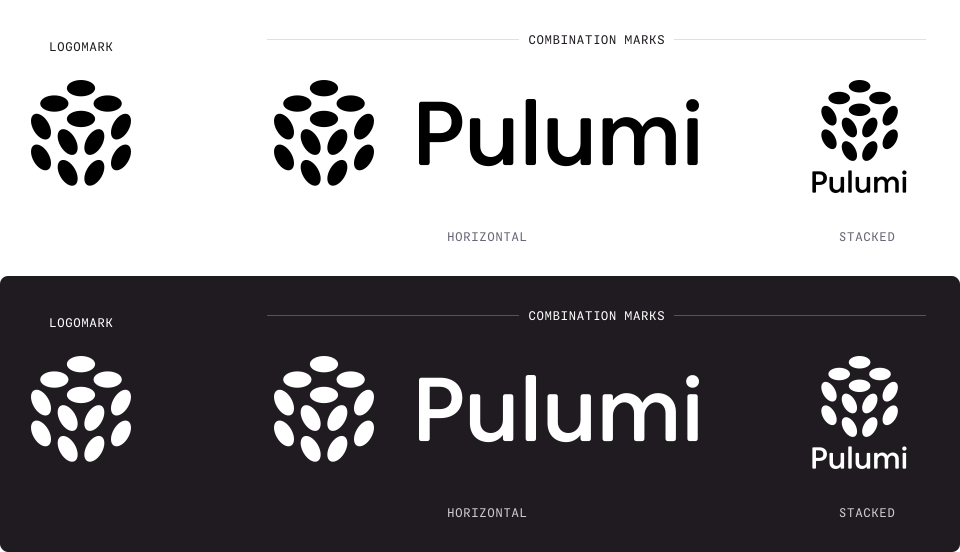
Monochrome versions of the mark and each lockup are available for use when the color logo doesn’t provide sufficient contrast or when a single-color logo is preferred for aesthetic reasons.

Icons with backgrounds included are also provided for easily updating profile pictures and app icons.
Sizing & reproduction
Section titled “Sizing & reproduction”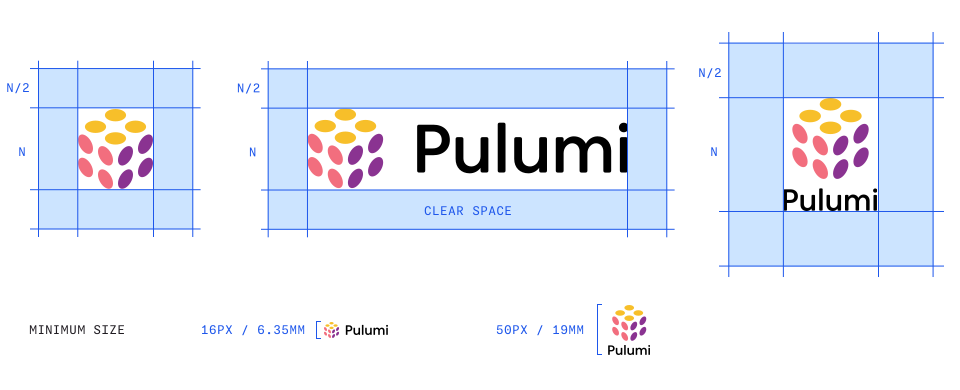
Give the logo adequate breathing room by maintaining a clear space around it. The minimum clear space should be equal to half the logo’s height (if the logo height is
N, clear space isN/2). This space should be free of any other graphic elements, text, or images.The horizontal logo should never be reproduced smaller than 0.25 inches (6.35 mm) in height for print or 16 pixels in height for digital use to ensure legibility. The stacked logo should never be reproduced smaller than 0.75 inches (19 mm) in height for print or 50 pixels in height for digital use.
Don’t reproduce the logo at low resolution or allow it to appear pixelated or blurry.
Background & contrast
Section titled “Background & contrast”Only place the color logo on white, black, service black, brand grays, or the following brand violet colors: Light:
Violet 50,Violet 100, Dark:Violet 900,Violet 950For glass or transparent signage, default to the white monochrome logo unless the black monochrome logo provides better contrast in the specific location.
Don’t place the logo on busy or cluttered backgrounds
Don’t place the logo on backgrounds that create insufficient contrast
Composition & placement
Section titled “Composition & placement”Don’t use the logo as a repeating pattern or texture
- Don’t crop, clip, or partially hide the logo
Don’t place the logo inside a shape or container (badge, circle, box) other than the provided icon variants
Don’t stack or overlap other logos directly on top of the logo
Effects & styling
Section titled “Effects & styling”Don’t apply drop shadows, gradients, glows, or outlines
- Don’t apply opacity or transparency effects
Don’t apply filters or blend modes to the color versions of the logo
File usage
Section titled “File usage”Always use original source files; never recreate or redraw the logo
Always use vector versions of the logo when possible
Don’t screenshot or export the logo from a PDF/presentation for reuse
Get the logo
Section titled “Get the logo”There are four ways to get an approved logo: download the full asset package, build a single variant interactively, ask an AI assistant for one, or generate one on demand from the logo API.
Download the asset package
Section titled “Download the asset package”The brand-assets package contains all standard logos, colors, font files, and supporting imagery:
Download
Build a logo
Section titled “Build a logo”Pick a lockup, background, size, and format to preview an approved logo variant, then download the file or copy its permanent URL.
Ask your agent
Section titled “Ask your agent”Working in an AI assistant? Point it at the logo service and describe what you need in plain English — it builds the right link and returns the image or a download URL.
- Any assistant — paste
https://brand.pulumi.com/apiinto the chat; it reads the self-describing schema, then fetches the logo you describe. - MCP clients (Claude, Cursor, and friends) — connect once to
https://brand.pulumi.com/mcpfor a dedicatedget_logotool, plus the rest of the brand guidelines. See the Brand MCP server page for setup.
“Fetch https://brand.pulumi.com/api. Use the returned API schema to generate the URL for a 1024×1024 full-color PNG logo.”
Render from the API
Section titled “Render from the API”In addition to the logo files included in the brand-assets package, there’s also a self-describing API endpoint that dynamically renders approved logo variants on request:
curl https://brand.pulumi.com/apicurl https://brand.pulumi.com/api/logo?format=svg&width=600API responses return valid image variants as bytes, along with Content-Location and Link headers that denote the generated image’s permanent URL:
curl -sI "https://brand.pulumi.com/api/logo?lockup=horizontal&background=violet-950&width=400&height=160&format=png"HTTP/2 200content-type: image/pngcontent-location: /media/images/logos/horizontal-violet-950-400x160.pnglink: </media/images/logos/horizontal-violet-950-400x160.png>; rel="canonical"These URLs (at /media) are the canonical ones. You should use these — and not raw /api URLs — in <img> tags, for example, as they’re stable, cached, self-describing, and have no query strings.
<img src="https://brand.pulumi.com/media/images/logos/horizontal-violet-950-400x160.png">Parameters
Section titled “Parameters”| Name | Values | Default |
|---|---|---|
lockup | horizontal stacked mark icon-circle icon-rounded icon-square auto | auto |
treatment | color monotone | color |
theme | light dark | light, dark when a dark background is specified |
background | transparent white black service-black violet-50 violet-950 | transparent |
width, height | Integers up to 4096 | Source width/height |
units | px cm in | px |
dpi | Integers up to 600 | 300 |
format | svg png jpg pdf eps | svg |
usage | web print social-avatar slide-deck favicon email-signature | — |
Raster formats (png / jpg) need at least one dimension; the vector formats (svg, pdf, eps) scale on their own. Reach for eps when a print vendor or an older design tool asks for it — it carries the same RGB colors as every other format, so convert to CMYK in your design software and proof before a large run. If you omit theme, the service picks the variant that stays legible on your background (dark backgrounds get the dark artwork). Set this explicitly when a transparent logo will sit on a dark surface.
Presets
Section titled “Presets”Several presets are available for convenience. Swap the extension to render a preset in another format, as long as that format can represent the artwork — icon lockups have transparency outside the badge, so they can’t be JPEG:
| Preset | Example |
|---|---|
web | https://brand.pulumi.com/media/images/logos/web.svg |
print | https://brand.pulumi.com/media/images/logos/print.pdf |
social-avatar | https://brand.pulumi.com/media/images/logos/social-avatar.png |
slide-deck | https://brand.pulumi.com/media/images/logos/slide-deck.pdf |
favicon | https://brand.pulumi.com/media/images/logos/favicon.png |
email-signature | https://brand.pulumi.com/media/images/logos/email-signature.png |
custom | https://brand.pulumi.com/media/images/logos/custom.svg |
Common examples
Section titled “Common examples”Web wordmark (SVG)
Section titled “Web wordmark (SVG)”curl -I https://brand.pulumi.com/api/logo?usage=webSocial avatar
Section titled “Social avatar”curl -I https://brand.pulumi.com/api/logo?usage=social-avatarFavicon
Section titled “Favicon”curl -I https://brand.pulumi.com/api/logo?usage=faviconHorizontal on violet, 2000×800 PNG
Section titled “Horizontal on violet, 2000×800 PNG”curl -I /api/logo?lockup=horizontal&background=violet-950&width=2000&height=800&format=pngHorizontal on white, 1200×480 PNG
Section titled “Horizontal on white, 1200×480 PNG”curl -I /api/logo?lockup=horizontal&background=white&width=1200&height=480&format=pngMonotone dark mark, PDF
Section titled “Monotone dark mark, PDF”curl -I /api/logo?lockup=mark&treatment=monotone&theme=dark&format=pdfTrademark usage
Section titled “Trademark usage”For questions about trademark usage, licensing, and third-party use of the Pulumi name and logo, see the Pulumi Trademark Usage Policy.